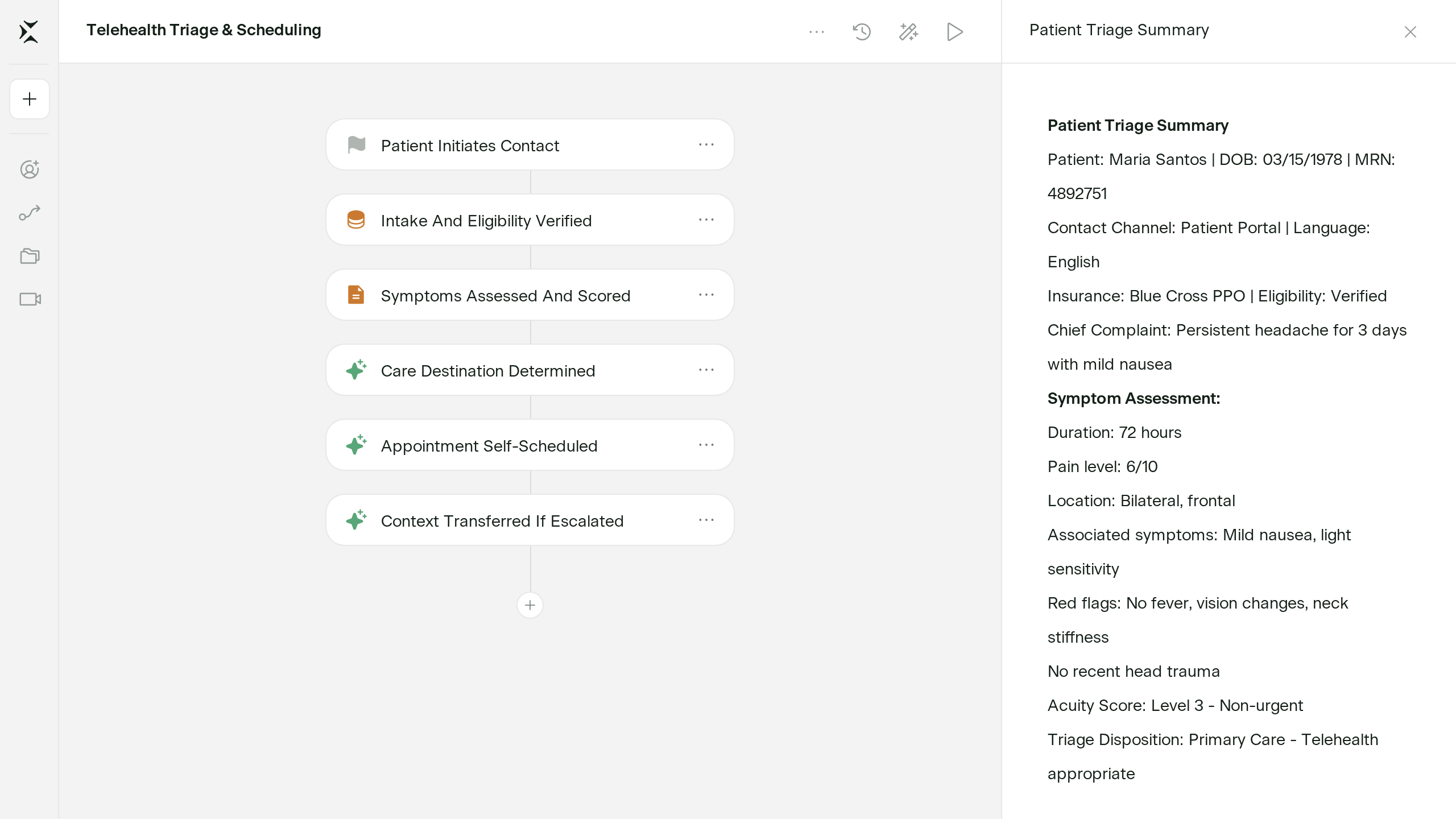
How Cassidy automates this using AI
Step 1: Trigger on patient contact
The Workflow activates when a patient initiates contact through any channel—web chat, patient portal, SMS, or voice—capturing identity verification, consent, and language preferences while maintaining HIPAA-compliant PHI handling.
Step 2: Complete digital intake and eligibility verification
Cassidy collects demographics, chief complaint, medical history, medications, allergies, and insurance details, then runs real-time eligibility checks to confirm coverage and explain benefits before the patient proceeds.
Step 3: Conduct clinical triage and acuity scoring
The Agent assesses symptoms through protocol-driven Q&A, identifies red flags requiring immediate escalation, and assigns an acuity score to determine the appropriate disposition—emergency, urgent care, telehealth, primary care, or self-care.
Step 4: Route to the right care destination
Based on triage results, Cassidy applies skills-based routing logic to direct the patient to the appropriate service line, specialty, or care coordinator, factoring in network rules, geographic preferences, and real-time provider availability.
Step 5: Enable self-scheduling with intelligent slot matching
Cassidy pulls live provider calendars and offers best-fit appointment slots that respect template rules, visit type constraints, and patient preferences—handling both telehealth and in-person options across locations.
Step 6: Execute warm handoff with full context
When human intervention is needed, Cassidy transfers the patient to a live clinician or agent with a complete summary of intake data, triage transcript, and eligibility results—eliminating repeated questions and reducing handle time.
Step 7: Send confirmations and pre-visit instructions
The Workflow dispatches omnichannel appointment confirmations, pre-visit instructions, and device setup guidance for telehealth visits, with two-way rescheduling capabilities built in.
Step 8: Update EHR and generate analytics
Cassidy writes encounter data, dispositions, and appointment details back to the EHR via HL7/FHIR, while logging routing decisions and outcomes for containment rate, deflection, and triage accuracy reporting.
Implement this automation inside your company
- Hands-on onboarding and support
- Self-paced training for your team
- Dedicated implementation experts
- Ongoing use case discovery
- ROI tracking & analytics dashboards
- Proven playbooks to get started fast